Cliptalk
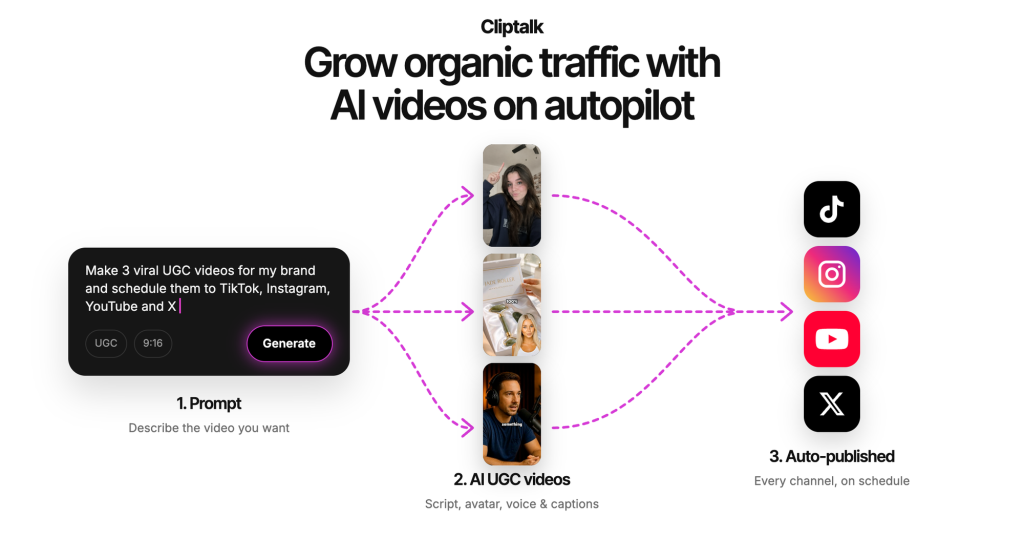
Cliptalk turns prompts, links or scripts into short videos with visuals, AI voiceover and animated captions for TikTok, Reels and Shorts, with an AI agent for chat-based editing.
What is Cliptalk?
Cliptalk is an AI video creation tool for short-form social content such as YouTube Shorts, Instagram Reels and TikTok. You describe an idea, paste a link or supply a script, and Cliptalk produces a complete vertical video with script, visuals, voiceover and captions. An editor and a chat-style agent then let you change scenes, voices or captions without traditional editing skills. It is aimed at faceless channel owners, marketers and creators who need a steady stream of short videos.
Key Features of Cliptalk
Prompt-to-Video Generation
A single prompt can produce a fully edited short with script, generated visuals, voiceover and captions, which you can then refine scene by scene.
Natural Language Editing Agent
Instead of dragging clips on a timeline, you can ask the agent to shorten an intro, add music or swap a scene and watch the timeline update. Manual editing remains available.
Auto-Captions, B-Roll and Silence Removal
Cliptalk adds word-by-word animated captions in several styles, inserts B-roll automatically and removes silences and filler words in one step. These editing functions do not use credits.
AI Voices, Characters and Voice Cloning
The library offers more than 140 AI voices and characters, from UGC-style presenters to animated animals, and a short recording can be turned into a cloned version of your own voice.
30+ Languages
Voiceovers and captions can be produced in over 30 languages, which helps creators run channels for different markets.
API and MCP Access
The Pro plan includes API access and MCP connections for Claude and ChatGPT, so videos can be generated from other tools or automated workflows.
Cliptalk Pricing
New accounts receive 50 free credits to try the tool, with a watermark on free videos. Paid plans are credit-based; credits are spent on AI generation such as images, video and audio, and subscribers can buy extra credits. A yearly option is also available on the pricing page.
Prices checked on October 27, 2026; check the official pricing page for current plans.
Who Should Use Cliptalk?
Cliptalk is a good fit for people running faceless YouTube, TikTok or Instagram channels who need several short videos a week without filming. Small businesses can use it for product explainers and UGC-style ads, coaches and educators can turn articles or notes into short lessons, and developers can plug the API into content pipelines. Because editing tools do not consume credits, it also works as a lightweight caption and cleanup editor for your own footage.
Is Cliptalk Worth It?
Cliptalk covers the full short-video workflow, from idea to captioned, voiced clip, and its conversational editing makes revisions quick for non-editors. The free credits are enough to judge output quality, and credit-free editing features are a useful bonus.
The main limits are cost and control. Paid plans start at $39 per month, credits run down quickly with heavy generation, and AI-generated visuals can look generic unless you invest time in tweaking scenes. Pricing labels on the page are also somewhat confusing, with Starter and discounted Pro shown at the same monthly price, so check the checkout screen carefully. For creators who publish often, it can replace a lot of manual editing; occasional users may find the subscription hard to justify.