Crayo
Crayo is an AI video editor for TikTok, Shorts and Reels that auto-clips long videos, adds viral caption styles and voiceovers, and creates story-style videos.
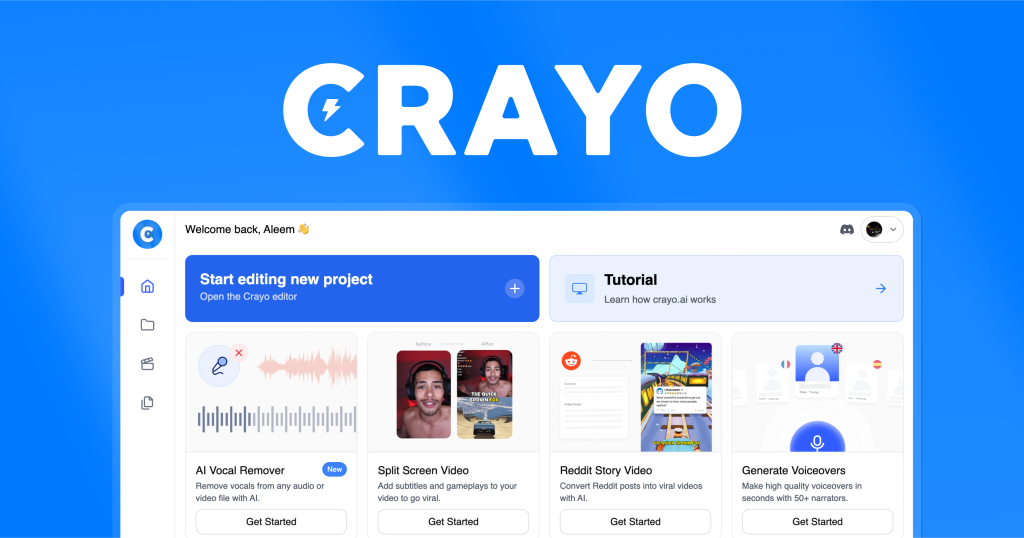
What is Crayo?
Crayo is an AI video editor built for short-form content on TikTok, YouTube Shorts and Instagram Reels. You upload a video file or paste a YouTube or TikTok link, pick a caption style, and Crayo generates a finished vertical clip. Beyond clipping, it can produce story-style videos such as Reddit narrations and fake text conversations, add AI voiceovers, and generate images.
The tool is aimed at clippers, faceless channel owners and creators who post daily and need to turn long videos into many shorts. Crayo is co-founded by creator Musa Mustafa, and it runs in the browser with a companion iPhone app that shares the same account and projects.
Key Features of Crayo
AutoClip
Crayo finds clip-worthy moments in long videos and cuts them into vertical shorts automatically, which is the core workflow for clipping channels.
Viral caption styles
More than 15 subtitle styles are available, and the web editor lets you adjust timing, layout and text after generation.
Story video workflows
Templates create Reddit story videos and fake text-message videos from a script, popular formats for faceless YouTube Shorts.
AI voiceovers and voice changer
Text-to-speech voiceovers are included on every plan, along with a voice changer and speech enhancer for cleaning up audio.
Creator utility tools
Plans also include an AI image generator, subtitle remover, face swap, icon generator, AI brainstorming and a YouTube and TikTok downloader.
View Tracker
A built-in tracker monitors views across accounts and posts, which helps teams running clipping campaigns see what performs.
Crayo Pricing
Every Crayo plan includes all tools; plans differ in workflow credits, export time, voiceover minutes and storage. A workflow credit equals one AI-generated video. Quarterly billing saves up to 39% and yearly billing up to 48% compared with the monthly prices below.
Prices checked on October 27, 2026; check the official pricing page for current plans.
Subscription credits reset monthly and do not roll over, and the FAQ states that Crayo does not offer refunds, though you can cancel at any time and keep access until the end of the billing period.
Who Should Use Crayo?
- Clippers turning streams and podcasts into short vertical videos.
- Faceless YouTube Shorts and TikTok channels using story or text-message formats.
- Creators who want captions, voiceovers and editing in one browser tool.
- Agencies tracking views across many accounts in clipping campaigns.
Is Crayo Worth It?
Crayo packs a lot of short-form tooling into one subscription: automatic clipping, caption styles, story templates, voiceovers, AI images and view tracking. Charging one credit per finished video makes costs easy to predict, and including every tool on every plan means even the Hobby tier is fully featured. You also own the rights to videos you create and can monetise them.
The drawbacks are that there is no free plan on the pricing page, no refunds, and unused credits expire each month. Face swap and similar tools should only be used with footage you have permission to edit. If you produce shorts at volume, compare the yearly discount against your expected output on the official Crayo pricing page.