Descript
A text-based audio and video editor with transcription, speech cleanup, clips and AI-assisted editing for creators and communication teams.
What is Descript?
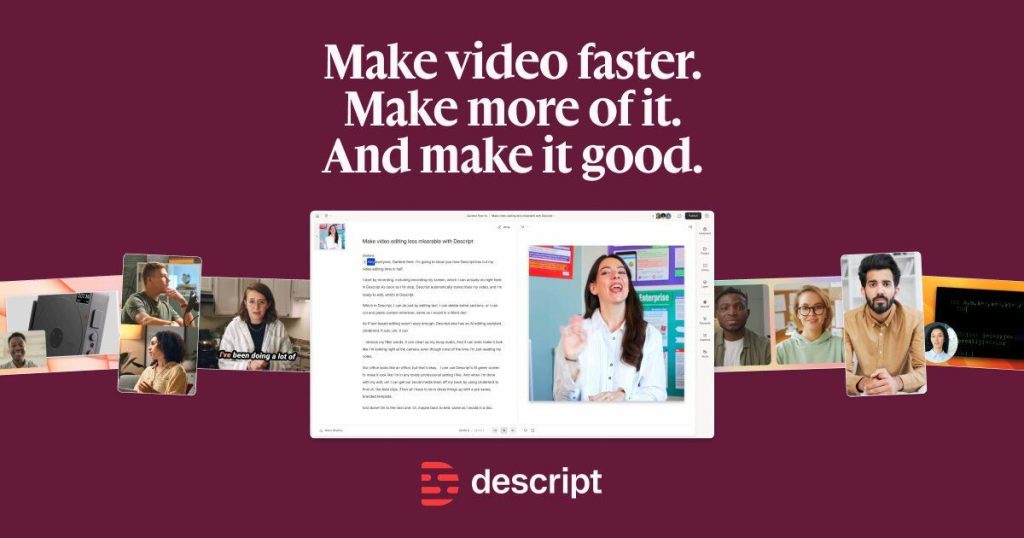
Descript is an audio and video editor built around a transcript-based workflow. Instead of treating every edit as a timeline operation, users can work with the spoken words and connect those edits to the recording. The official product page also describes Studio Sound, captions, clip creation and an AI editor called Underlord. These tools are particularly relevant to speech-heavy projects such as interviews, podcasts, tutorials and internal presentations.
The central benefit is an approachable way to organize recorded material. A person who understands a conversation can start making editorial decisions without first mastering every control of a traditional video editor. However, understanding the transcript is only part of the job. Tone, pauses, visual context and the speaker’s intended meaning still need to be reviewed in the actual recording.
Practical workflow: turn an interview into an accurate episode and clips
Begin with a backed-up copy of the original recording and confirm that participants have agreed to the intended use. Import the material and correct important transcript errors before making major edits. Names, technical terms, numbers and negations deserve special attention. A transcription error in a key sentence can lead to an incorrect cut or a misleading caption.
Create a rough structure around the conversation’s main ideas. Remove repetition and obvious production mistakes while preserving the context that makes a statement fair. Listen across every significant cut, especially where a sentence has been shortened. Do not assemble a stronger claim than the speaker actually made. Use audio cleanup carefully and compare it with the original; excessive processing can make a voice sound unnatural or obscure a useful detail.
After approving the long-form edit, select clips that stand on their own. Each clip should contain enough context for a new viewer to understand the point. Review automated captions, on-screen labels and the suggested title. A dramatic headline should not exaggerate the speaker’s conclusion. Check framing and readability in the final social format, then export a proof for the person responsible for publication.
Who is Descript suited to?
Descript can fit podcasters, educators, video marketers and teams producing regular speech-based content. It can also help subject experts who want to edit a recorded explanation directly. Projects requiring highly specialized visual effects, complex finishing or detailed sound design may still need additional tools. The appropriate choice depends on the whole production chain, including collaboration and delivery requirements.
For a trial, use a realistic recording with several speakers, imperfect audio and a few technical terms. Measure the correction work needed, the ease of restructuring the piece and the quality of the final export. Include a clip repurposing task so you can judge whether the same source material moves efficiently between formats without losing meaning.
Limitations, consent and privacy
Transcription and AI editing can make mistakes. A removed pause or a rearranged sentence can subtly change a speaker’s meaning. Review the result as an editor, not just as someone checking spelling. If you use synthetic speech, voice regeneration or other AI media features, obtain the required consent and make appropriate disclosures. Never use a familiar voice to imply approval for words the person did not authorize.
Recordings may contain personal or confidential information. Review Descript’s privacy terms, workspace permissions and your organization’s requirements before uploading client calls or internal meetings. Keep originals, track approved versions and establish a retention process. A convenient editing interface does not remove the need to manage the underlying recording responsibly.
Pricing and alternatives
Descript offers free access and paid plans with different media, AI and export provisions. Compare the limits relevant to your actual production schedule, including transcription and AI-assisted work. Evaluate the cost per approved episode or useful clip rather than only the subscription price. Compare ElevenLabs for voice generation or Synthesia for scripted avatar-based business video.
Frequently asked questions
Can I edit a video by editing its transcript?
Yes. Text-based editing is a core Descript capability. Review the resulting media around cuts to confirm that the edit sounds and looks correct.
Does Studio Sound repair every recording?
No. It is an enhancement tool, and results depend on the source. Preserve the original and compare processed audio before publishing.
Can AI automatically choose the best clips?
It can assist with selection, but a human should verify context, meaning, captions and suitability for the intended audience.
Primary sources and editorial verification
Product information checked on 16 October 2026. This profile is based on official documentation, with an original suggested workflow; it does not claim a hands-on benchmark.