EasyClaw
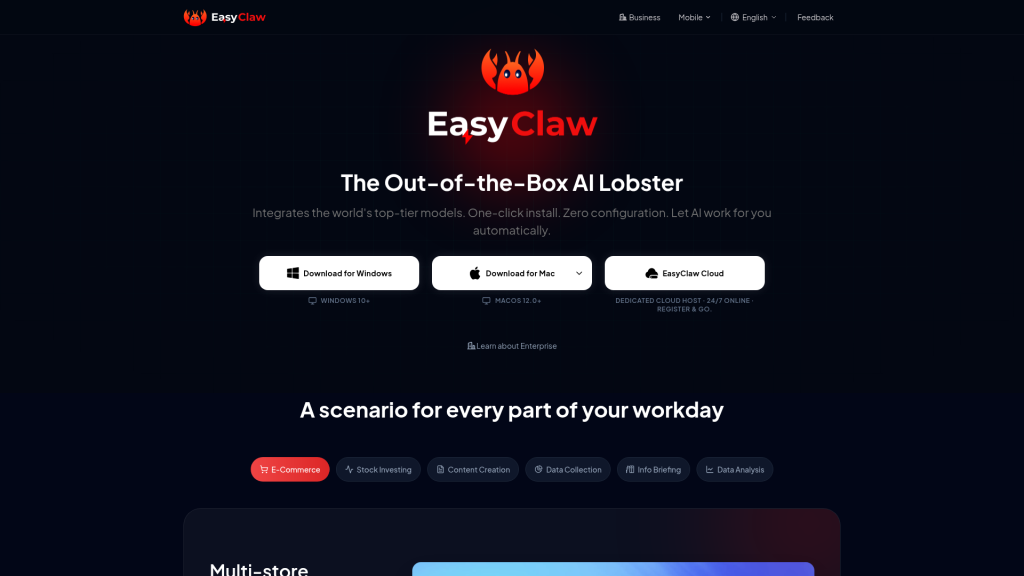
EasyClaw packages the open-source OpenClaw AI agent as a one-click desktop app for Windows and Mac, plus a cloud edition. It runs tasks on your computer and takes commands from chat apps like Telegram and WhatsApp.
What is EasyClaw?
EasyClaw is a desktop application that wraps OpenClaw, the open-source AI agent, in a regular Windows and Mac app. Running OpenClaw normally means using the terminal, editing environment files and managing API keys. EasyClaw replaces that with a graphical installer and guided setup. Once installed, you type a task in a chat box and the agent works on your computer: reading and writing files, running commands, controlling the browser and calling AI models.
The product comes from DOCUAGILE PTE. LTD., according to the site footer. It is offered as a local desktop version, a cloud-hosted edition that stays online around the clock, and an enterprise version for teams. It suits non-technical users who want a personal AI agent, as well as small teams automating reports and content. Downloads are on the official EasyClaw website.
Key Features of EasyClaw
Zero-Configuration Install
Download the installer, run it and finish a short guided setup. Advanced users can still go deeper with config files and the command line.
Many Models in One Place
EasyClaw supports more than 15 models, including OpenAI GPT-5, Anthropic Claude 4 and Google Gemini 3 families. You can also connect custom APIs or locally hosted models.
Computer and Browser Control
The agent can read and write local files, run terminal commands, operate the desktop and automate a browser, all inside what the vendor describes as a local sandbox.
Chat-App Remote Control
You can link messaging apps such as Telegram, WhatsApp, Slack, Discord, Microsoft Teams, Signal, LINE, WeChat and Feishu. Send an instruction from your phone and the desktop agent runs it and sends the result back.
Expert Agents and Skills
Ready-made agents cover areas like stock watching, content writing, trend tracking, slide creation and daily briefings. You can combine skills or build your own agent.
Memory and Scheduling
Structured long-term memory, persona settings, scheduled tasks and multi-agent collaboration let the agent handle recurring jobs without new prompts each time.
EasyClaw Pricing
EasyClaw does not publish plan prices on its public pages. The pricing page at easyclaw.com/price shows plans only after you sign in, so we could not confirm amounts. The editions listed publicly are:
Prices checked on October 27, 2026; check the official pricing page for current plans.
EasyClaw Coupon Code
This partner code is listed for EasyClaw:
- AIMOJO – 5% open-ended, stacks with annual. In other words, a 5% discount that, per the listing, can be combined with annual billing.
To use a code, pick your plan on the official pricing page, continue to checkout and enter the code in the discount or promo code field before you pay. The reduced total should show before you confirm. Partner codes are set by the vendor and can be changed, paused or limited to certain plans at any time, so check the final amount at checkout. Sign in first, because plans and checkout only appear once you are logged in.
Who Should Use EasyClaw?
- People who want to try OpenClaw without using the terminal
- Online sellers who want automated daily store reports and alerts
- Content creators who want scheduled drafts, trend tracking and publishing help
- Analysts who want automatic news digests and market monitoring
- Teams that need an always-on shared agent through the cloud or enterprise editions
Is EasyClaw Worth It?
EasyClaw lowers the barrier to running a capable AI agent on your own machine. A graphical installer, broad model support and control from many chat apps make OpenClaw-style automation usable for people who would never edit an environment file. The cloud edition solves the problem of keeping a desktop running all day.
There are open questions too. Pricing is hidden until you sign in, which makes it hard to compare with alternatives. An agent with file, terminal and system access needs careful permission settings and some trust in the vendor. Several featured agents are built around Chinese platforms. Try the local version on non-sensitive tasks first, then check the plan prices after signing in before you subscribe.