FlowSavvy
FlowSavvy is an AI calendar that time-blocks your tasks around existing events, reschedules missed work automatically and syncs with Google, Outlook and iCloud for busy individuals.
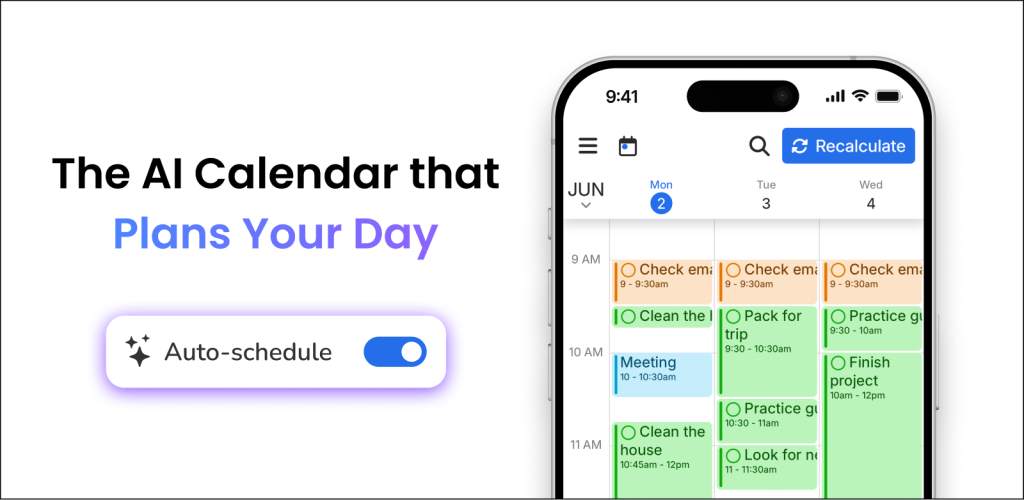
What is FlowSavvy?
FlowSavvy is an AI calendar and task planner that time-blocks your to-do list automatically. You add tasks with deadlines and durations, and FlowSavvy places them into open slots around your existing events. When plans change, it reschedules the affected tasks so you do not have to drag blocks around by hand. You can try it at flowsavvy.app.
The product is built for busy individuals, such as students, freelancers and professionals, who want automatic scheduling without the team and enterprise features of heavier planning tools.
Key Features of FlowSavvy
Automatic task scheduling
FlowSavvy considers priorities, due dates and your available hours, then plans tasks into your calendar. Only tasks with auto-scheduling turned on are moved; your fixed events are never touched.
One-click recalculation
If you fall behind or a meeting runs long, pressing recalculate moves missed tasks to new slots. The free plan includes unlimited auto-reschedules.
Scheduling hours and workload balancing
You can define when tasks may be scheduled, such as work hours, evenings or weekends, and choose whether to front-load work or spread it out. Tasks can be split around events, with buffer time between them.
Calendar and app sync
FlowSavvy syncs two-way with Google Calendar, Outlook.com, iCloud Calendar and Todoist. Pro users can also push FlowSavvy tasks back to those calendars, and connect other tools through an API, MCP server or Zapier.
Deadline awareness
Tasks are colour-coded by how close they are to their deadline, and an overcommitment warning shows which tasks are at risk of being missed.
Apps on every device
Full-featured web, iOS and Android apps include push notifications, widgets and light or dark mode.
FlowSavvy Pricing
FlowSavvy has a generous free plan and a single paid tier. Yearly billing saves about 28% compared with monthly payments.
The pricing page also mentions a 50% discount on the first year of the annual plan for students who contact support from an institutional email address, and a 30-day refund window for payments made on the web or Google Play.
Prices checked on October 27, 2026; check the official pricing page for current plans.
Who Should Use FlowSavvy?
- Students juggling assignments with fixed class schedules.
- Freelancers balancing client work with personal commitments.
- Professionals who time-block but are tired of rearranging blocks manually.
- Anyone with a heavy workload who wants to spend less time planning.
Is FlowSavvy Worth It?
FlowSavvy focuses on doing automatic scheduling well without extra complexity. The free plan is unusually capable, with unlimited rescheduling and calendar sync, so many users can get real value before paying anything. Pro is reasonably priced for those who need a longer planning range, priorities, dependencies or integrations.
It is designed for individuals, so teams looking for shared project planning or resource management will need another tool. Free users are limited to a two-week scheduling window and prioritisation by due date only, and auto-scheduling works best when you keep task estimates realistic. The company states it does not sell user data or use it to train AI models. If your main problem is fitting tasks around a busy calendar, FlowSavvy is an easy recommendation to try.