GitMind
GitMind is an AI mind mapping and diagram tool that summarises text, PDFs, YouTube videos, audio and images into mind maps, flowcharts and infographics for study and work.
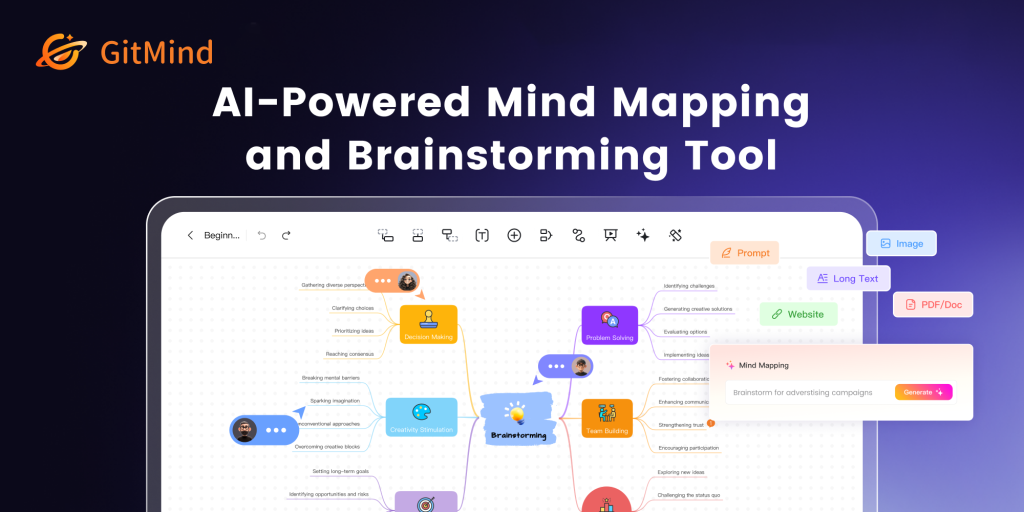
What is GitMind?
GitMind is a mind mapping and diagramming tool that now positions itself as an AI workspace for organising information. Beyond drawing maps by hand, it can take text, PDFs, web pages, YouTube links, audio recordings and images and turn them into summaries, structured mind maps, flowcharts and infographics. Students, teachers, researchers and project managers are its main audience: people who need to absorb a lot of material and see it laid out clearly.
You can use GitMind on the official GitMind website, in its desktop and mobile apps, or through a Chrome extension.
Key Features of GitMind
AI mind maps from a prompt
Type a topic or idea and GitMind drafts a branching map you can then expand, reorder and style, which speeds up brainstorming and outlining.
Summaries of any source
The AI can condense articles, documents, books, audio files and YouTube videos into key points, and convert the result into a map for review.
Image text extraction
Built-in OCR pulls text from photos of handouts or slides so they can be summarised or mapped instead of retyped.
Diagram generation
Describe a process and GitMind can produce flowcharts, UML and class diagrams, entity-relationship diagrams or infographics.
AI chat
A chat assistant inside the workspace answers questions about uploaded material and helps refine content.
Collaboration and presentation
Shared spaces called planets let small groups work on maps together, and a presentation mode turns a map into slides for teaching or meetings.
GitMind Pricing
GitMind has a free tier for light mind mapping and several paid tiers. Basic covers unlimited mapping, while Pro and Ultra add the AI credits needed for summaries and generation. Annual billing is significantly cheaper than monthly billing.
Prices checked on 2026-10-27; check the official pricing page for current plans.
GitMind Coupon Code
The code E554E50E gives 10% OFF a GitMind plan. Select your plan on the pricing page, continue to payment and enter the code in the coupon or promo field before confirming. Partner codes can change or be retired by the vendor at any time, so check the final price before you pay.
Who Should Use GitMind?
- Students who want to turn lectures, videos and readings into visual study aids.
- Teachers preparing lesson outlines and classroom presentations.
- Researchers summarising papers and organising literature reviews.
- Project managers, consultants and engineers who map plans and processes.
Businesses that will use maps commercially are pointed to the Business plan, which is priced per seat and gets small discounts as the team grows. If you only need occasional hand-drawn maps, the free tier or Basic plan may cover you without any AI credits.
Is GitMind Worth It?
GitMind is a strong option if you like thinking in maps and want AI to do the first pass of organising your material. The range of inputs it accepts and the extra diagram types make it more flexible than a plain mind mapping app. The free plan is mostly a trial, though, and the AI features sit behind Pro and Ultra with monthly credit limits. Annual pricing is where it becomes good value; monthly billing is steep by comparison. Expect to tidy the generated maps yourself, but as a time-saver for studying and planning it delivers. Try the free plan first to see whether the editor and layouts suit how you think before paying for AI credits.