Hyper3D
Hyper3D is an AI 3D model generator powered by Rodin that turns images or text prompts into textured 3D assets for games, e-commerce, AR/VR and 3D printing.
What is Hyper3D?
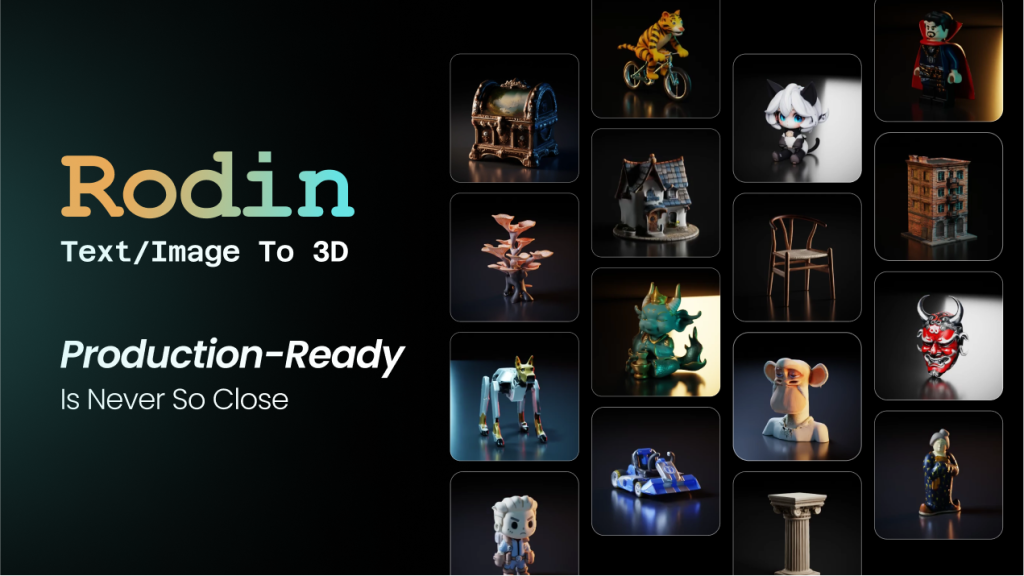
Hyper3D is an AI 3D model generator built around its Rodin engine. It converts a reference image, several images or a written prompt into a textured 3D asset with PBR materials, which you can then refine and export to common formats. The site describes the output as nearly production-ready for supported workflows, which is a fair way to set expectations.
The platform is aimed at game developers, product and e-commerce teams, 3D printing hobbyists, architects, educators and artists who need 3D content faster than traditional modelling allows. Developers can also integrate Rodin through an API, and the company highlights research behind its models, including Rodin, CLAY and CAST.
Key Features of Hyper3D
Image to 3D
Upload one picture of an object, character or prop and Rodin reconstructs it in 3D. Extra views are optional and help when you need more control over hidden sides or fine detail.
Text to 3D
Describe an object in words and Hyper3D generates a matching model, with a built-in image generator available to create a reference first if you prefer.
ControlNet Guidance
Bounding box, voxel and point cloud controls let you constrain shape and proportions, which is useful when an asset must fit a specific size or layout.
Selectable Thinking Effort
You can trade speed for quality, from an extreme-low setting that takes around four seconds to an extreme-high setting of roughly 80 seconds.
3D Editing and Export
Models can be split into parts, refined and modified after generation. Exports include STL for printing, GLB and GLTF for web and AR, FBX for game engines, OBJ for general editing and USDZ for Apple AR.
ChatAvatar and OmniCraft
ChatAvatar builds 3D avatar packages with a detailed face, body mesh and facial controls, while OmniCraft adds texture, HDRI and image enhancement tools. Business also unlocks premium image and video models.
Hyper3D Pricing
Hyper3D works on a pay-by-result basis: you can preview a generation before confirming the credit spend. Subscription credits renew each billing cycle, while direct credits cost more but remain available longer. Creator and Business can be scaled to larger credit tiers, and yearly billing saves 20%.
Prices checked on October 27, 2026; check the official pricing page for current plans.
Hyper3D Coupon Code
The following partner codes are listed for Hyper3D:
- AF5573B75: 75% OFF
- AF5573C75: 75% Off
- AF5573C90: 90% OFF
These are large discounts, and the listing does not say which plan, credit tier or billing period each code covers, so try them at checkout. Choose a plan on the subscribe page, enter one code in the promotion field and check the total before paying. Partner codes are set by the vendor and can change or expire without notice.
Who Should Use Hyper3D?
- Indie game developers who need props, characters and environment assets quickly.
- E-commerce and product teams creating 3D models for interactive pages and renders.
- 3D printing hobbyists turning sketches or photos into printable files.
- Studios and developers integrating AI 3D generation through the API.
Is Hyper3D Worth It?
Hyper3D is one of the more controllable AI 3D generators, with useful extras such as ControlNet, part editing and a wide range of export formats. The pay-by-result approach and free previews lower the risk of wasted credits. On the other hand, unlimited exports require a paid plan, API access starts at Business, and generated assets may still need cleanup in a 3D editor before production use. The Creator plan is a reasonable starting point for regular individual use.