Inbox Zero
Inbox Zero is an AI assistant for Gmail and Outlook that labels incoming mail, pre-drafts replies in your voice, blocks cold emails and bulk-unsubscribes from newsletters.
What is Inbox Zero?
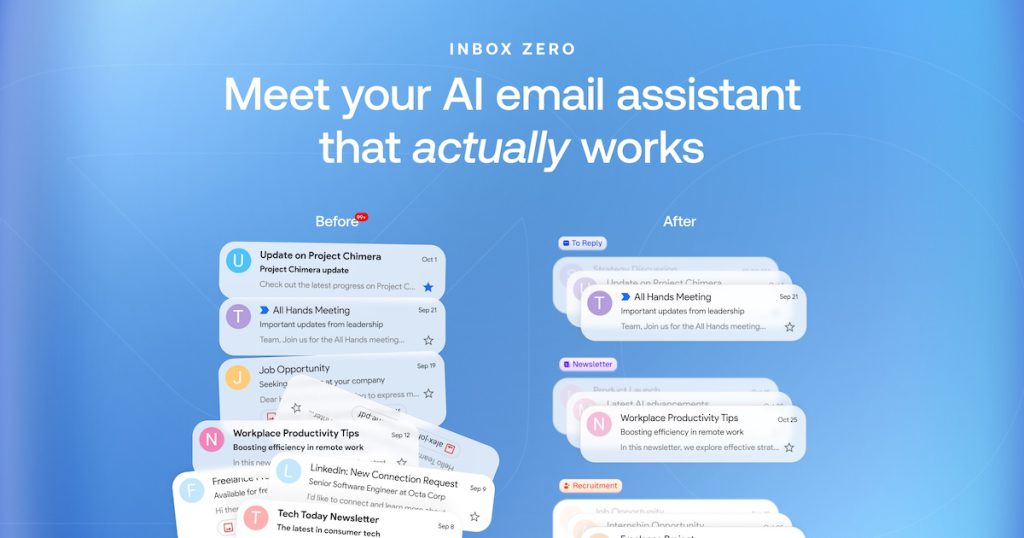
Inbox Zero is an AI email assistant for Gmail, Google Workspace and Microsoft Outlook accounts. It sorts incoming mail into categories, prepares reply drafts that match how you normally write, and gives you tools to clear out newsletters and promotional senders you never read. The project is open source, so technical users can inspect the code or even host it themselves.
The service is aimed at founders, executives and busy professionals who spend a large share of their day in email, as well as teams that want shared analytics. A separate free email app is also available for people who simply want a faster client for their Gmail and Outlook accounts.
Key Features of Inbox Zero
Automatic sorting and labels
New messages are placed into categories such as To Reply, Newsletter, Marketing, Calendar, Notification, Cold Email, Team and Urgent. You can keep the defaults or define your own groups.
Reply drafts in your voice
Emails that need an answer arrive with a pre-written draft based on your past emails, and the assistant can also check your calendar and connected CRM so suggested times and details reflect your real schedule.
Bulk unsubscribe and cold email blocking
Inbox Zero shows which senders you never open and lets you unsubscribe and archive them in one step. A cold email blocker keeps unsolicited sales pitches out of your main view.
Rules written in plain English
Instead of building complex filters, you describe how certain emails should be handled in everyday language and the assistant applies those instructions.
Work from other apps
You can read mail and approve drafts from Slack, Telegram, Microsoft Teams, mobile or the web, and higher plans add an AI meeting notetaker, email digests and automatic filing of attachments.
Privacy and self-hosting
The company states that your data is not used for AI training and that the service is SOC 2 Type 2 certified. Because the code is public, organisations with strict requirements can run their own instance.
Inbox Zero Pricing
The email app is free, and the AI plans are billed per user with a 7-day free trial. Annual billing is cheaper than paying monthly, and the pricing FAQ mentions discounts for students, nonprofits and open-source projects on request.
Prices checked on October 27, 2026; check the official pricing page for current plans.
Who Should Use Inbox Zero?
- Executives and founders who receive hundreds of messages a day and want replies drafted for them.
- Professionals who want to unsubscribe from clutter and block cold outreach in bulk.
- Small teams that want shared email analytics and a consistent triage process.
- Developers and privacy-minded companies that prefer an open-source tool they can self-host.
- Gmail or Outlook users looking for a faster free email client.
Is Inbox Zero Worth It?
Inbox Zero covers the most time-consuming parts of email: deciding what matters, writing routine replies and cleaning out subscriptions. The plain-English rules make it more flexible than standard filters, and the open-source code plus self-hosting option set it apart from most closed email assistants.
There are limits to keep in mind. Only Gmail, Google Workspace and Outlook accounts are supported, the AI features are priced per user, and the meeting notetaker, Slack integration and unlimited knowledge base require the Plus plan or higher. Drafts still need a quick review before sending, especially for sensitive conversations. If email takes up a large part of your day, the 7-day trial is a low-risk way to see whether the drafts and sorting fit your workflow.