LogoAI
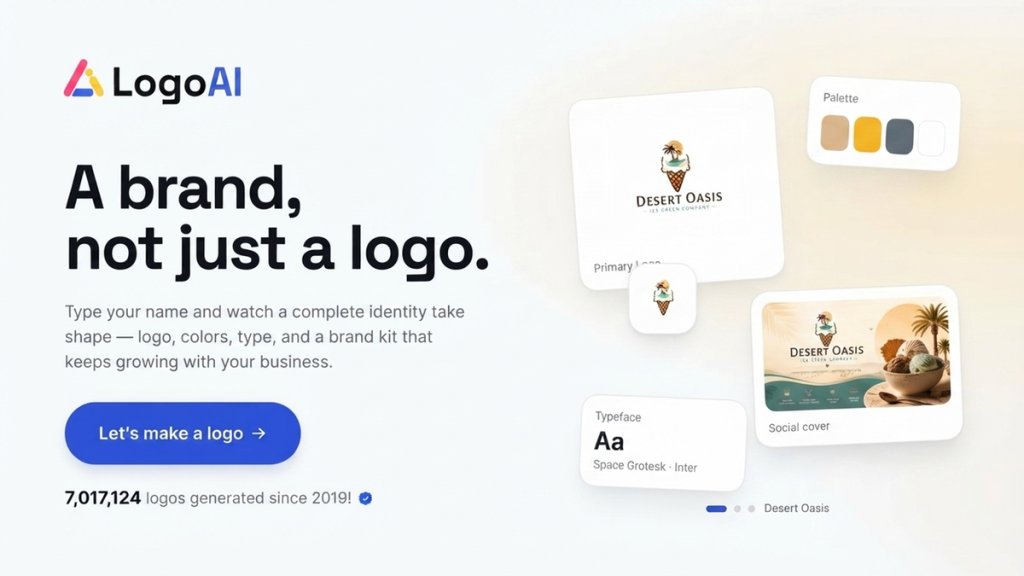
LogoAI generates logo concepts from your business name and industry, then builds a brand kit with colours, fonts, animations and social assets, plus an AI image and video studio.
What is LogoAI?
LogoAI is a web-based AI logo maker that has expanded into a broader branding tool. You type in your business name and a few details, and the platform proposes logo designs, then assembles a brand kit around the one you pick. Its latest version, LogoAI 2.0, adds a design studio that connects popular image and video models to your brand settings. It is built for founders, small businesses and creators who need a professional-looking identity without hiring a designer.
Everything runs in the browser on the official LogoAI website. The idea is that you start with a mark and leave with a reusable set of brand assets, so later graphics, videos and social posts all share the same colours, type and style without you having to set them up again each time.
Key Features of LogoAI
Multi-model logo generation
LogoAI reads your company name, industry and goals, matches suitable styles and layouts, and runs several AI models in parallel to return a set of logo options within seconds.
Brand kit
Once you choose a logo, the tool builds supporting assets: colour systems with tints and shades, paired display and body fonts, and a live preview showing how the brand looks on a website.
Animations and brand videos
You can turn the logo into animated intros and short clips sized for reels, ads and launch posts.
Social assets
Avatars, banners and post templates are produced in the right dimensions for the major social platforms, keeping visuals consistent.
Export formats
Logos and assets export as SVG, PNG and PDF, which covers both print and digital use.
Design Studio
The studio gives access to more than 20 image and video models, including names such as Nano Banana, Flux, Veo, Kling and Runway, with your brand kit preloaded so new graphics stay on-brand.
LogoAI Pricing
LogoAI uses a short paid trial followed by a monthly Pro subscription. Both options include the full Branding Suite and the Design Studio; the difference is the trial length and the number of AI credits.
Prices checked on 2026-10-27; check the official pricing page for current plans.
LogoAI Coupon Code
Enter AIMOJO to get 30% off at LogoAI. Choose the trial or the Pro plan, go to checkout and type the code into the coupon field before paying; if you arrive through a partner link the code may already be attached. Partner codes are controlled by the vendor and can change or end, so confirm the reduced price on the checkout screen.
Who Should Use LogoAI?
- New business owners who need a logo and basic brand guidelines on day one.
- Solo creators and freelancers who want consistent visuals across social channels.
- Small marketing teams that need quick on-brand images and promo clips.
- Anyone testing several brand directions before committing to a professional designer.
It is less suitable for established companies that need a fully bespoke identity, legal trademark clearance or detailed brand strategy work, which still call for a human designer or agency.
Is LogoAI Worth It?
LogoAI is worth a look if you want more than a standalone logo file. The brand kit, animations, social templates and AI studio make the subscription feel like a small branding toolkit, and SVG export means the results are usable in print. On the other hand, there is no free plan on the pricing page, the $10 trial rolls into a $20 monthly subscription unless you cancel, and AI-generated marks are not guaranteed to be unique or registrable as trademarks. If you only need a logo once, plan to cancel after downloading your files; if you will keep producing branded content, the ongoing plan makes more sense. Either way, review the generated options critically and adjust spacing, colours and wording before you print anything.