Notta
Notta records and transcribes online and in-person meetings in 58 languages, writes AI summaries and action items, and can turn conversations into slides and infographics. Free plan with 120 minutes a month.
What is Notta?
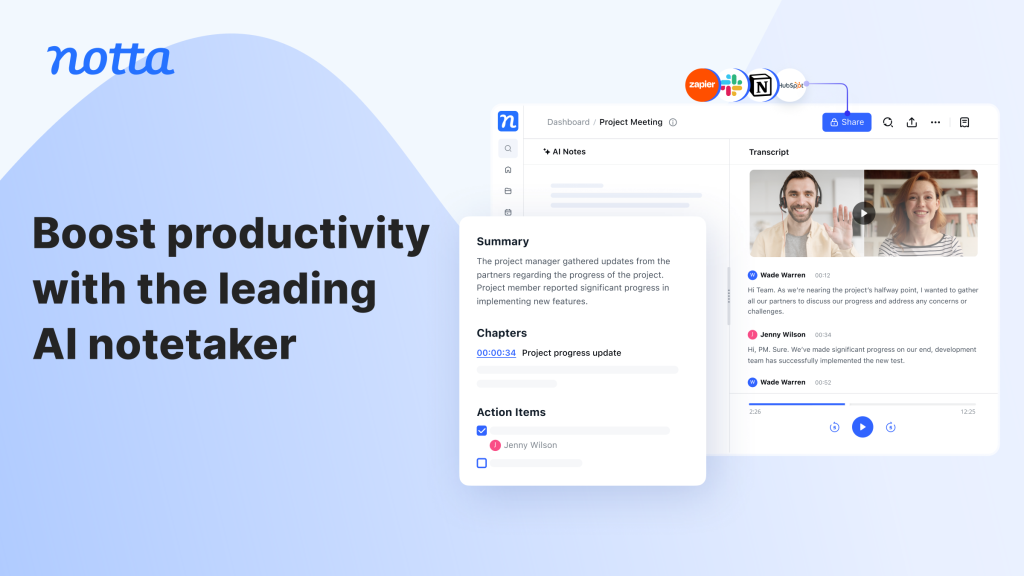
Notta is an AI notetaker that records conversations, converts them to searchable text and produces summaries you can share. It handles online meetings on Zoom, Microsoft Teams, Google Meet and Webex, in-person discussions recorded on a phone or the company's own recorder hardware, and audio or video files you upload. Beyond plain transcripts, Notta now focuses on turning meetings into deliverables such as slide decks, infographics and insight reports.
The tool targets executives, sales and customer success teams, consultants, agencies, researchers and educators. Notta works in the browser, through mobile apps and a Chrome extension, and offers an MCP server and CLI so AI assistants can pull meeting context.
Key Features of Notta
Meeting recording and transcription
Notta can join scheduled calls automatically, record them and transcribe in real time, with speaker identification and timestamps. It supports 58 languages for transcription.
AI summaries and templates
Each recording can produce a summary with key points and action items. Paid plans allow custom summary templates, so a sales call and a research interview can be summarized differently.
Notta Brain
Formerly called AI Chat, Notta Brain searches across all your meetings to answer questions and can generate PowerPoint files, infographics and insight reports. Every plan includes 1,000 Brain credits a month, with more available as an add-on.
Translation
Transcript translation is included from the Pro plan, and bilingual or real-time translation features come with a few free uses each month, with paid add-ons for heavier use.
Integrations and security
Notta connects to calendars, Notion, Slack, Google Drive, Dropbox, OneDrive and popular CRMs such as Salesforce and HubSpot. The company states SOC 2 Type II certification and GDPR compliance.
Notta Pricing
Notta's free plan needs no credit card. The pricing page shows paid plans at their annual rate, which it labels as 40% off monthly billing. Students and educators can request a 50% education discount, and a 7-day Business trial is available.
Prices checked on October 28, 2026; check the official pricing page for current plans.
Add-ons include monolingual translation ($6 a month billed annually, or $10 monthly), bilingual transcription and translation ($9 a month billed annually, or $15 monthly), and extra Notta Brain credits.
Who Should Use Notta?
- Sales and customer success teams that want call notes and follow-up emails without typing.
- Consultants and agencies who turn client interviews into presentations.
- Researchers and teachers transcribing interviews or lectures in several languages.
- Managers who need a searchable record of decisions and action items.
Is Notta Worth It?
Notta covers the core notetaker job well and adds useful extras: wide language coverage, automatic meeting joining and the ability to turn conversations into slides or infographics. The Pro plan is competitively priced on annual billing, and the Business tier adds unlimited transcription for teams.
The free plan is mainly a demo, since each conversation is cut at three minutes. Translation-heavy users will likely need add-ons, minutes do not roll over, and enterprise controls such as SSO sit on the top tier. As with any AI transcription, accuracy depends on audio quality and accents, so important notes deserve a quick check. For professionals who spend much of the week in meetings, Notta is a solid, well-integrated choice.