PicWish
PicWish is an AI photo editor that removes backgrounds, sharpens blurry pictures, erases objects and generates product visuals from text prompts, on the web, desktop and mobile.
What is PicWish?
PicWish is an AI-powered photo editor that bundles a long list of one-click image tools into a single account. It started as a background remover and has grown into a broader editing suite covering photo enhancement, object removal, product photography and prompt-based image generation. The target audience is wide: online sellers who need consistent product shots, social media managers, small businesses and everyday users who want quick fixes without learning professional software.
You can use it in the browser at the official PicWish website or through its desktop and mobile apps.
Key Features of PicWish
Background removal
The cut-out tool isolates the subject automatically and can handle batches of up to 30 images at once, with options to resize and adjust lighting afterwards.
Photo and portrait enhancement
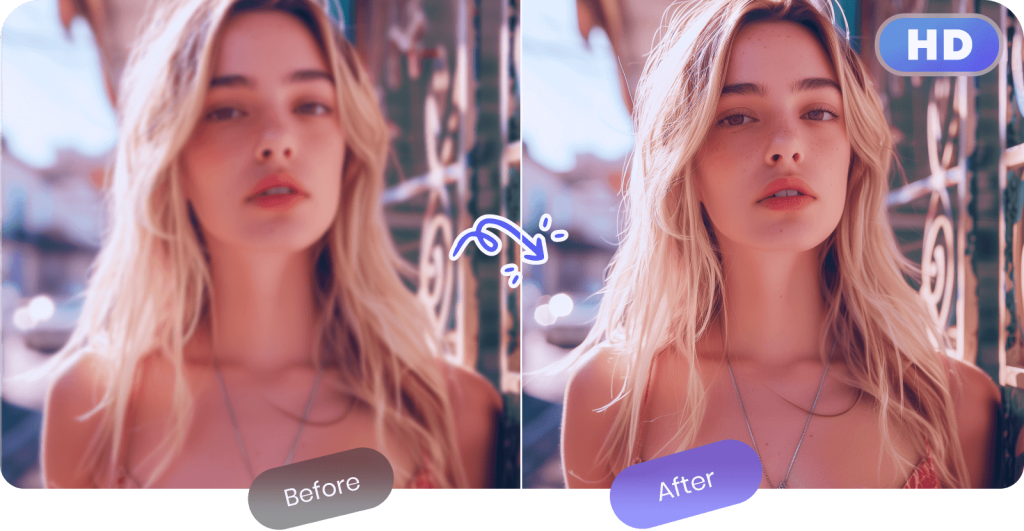
Enhancement tools increase resolution and recover detail in blurry or low-quality pictures, with a separate mode tuned for faces.
Object and watermark removal
PicWish can detect and erase text watermarks, stickers and unwanted objects, filling the gaps so the image looks natural.
AI Designer
This prompt-driven editor lets you describe the result you want in plain language. It includes preset scenarios for beginners and draws on several image models, such as Nano Banana and GPT Image variants, at different credit costs.
Product studio
For e-commerce there are AI backgrounds, product retouching, white-background exports, collages and a listing image generator, which help produce marketplace-ready visuals in bulk.
Apps and API
Besides the web app, PicWish offers Windows, macOS, iOS and Android apps, and a separate API for developers who want to integrate its image processing.
PicWish Pricing
PicWish combines a free tier with two subscriptions and a credit-based pay-as-you-go option. Core tools such as background removal are included for HD downloads on paid plans, while generative tools draw on monthly credits. The prices below are the annual-billing rates shown on the pricing page; weekly and monthly billing are also offered.
Prices checked on 2026-10-27; check the official pricing page for current plans.
PicWish Coupon Code
The partner code WTU7MF is listed with a discount value of 10 (a percentage-type discount, i.e. 10% off). Pick your plan on the pricing page, continue to checkout and enter the code in the coupon field before paying. Partner codes can change or expire without notice, so check that the discount is applied to the total before you confirm the order.
Who Should Use PicWish?
- Online sellers who need many product photos with clean or AI-generated backgrounds.
- Marketers and creators producing social posts and ad images on a tight schedule.
- People restoring family photos or sharpening low-resolution images.
- Anyone who needs passport-style ID photos or quick object removal without design skills.
Teams should note that subscriptions are single-seat; shared use runs through pay-as-you-go credits with extra seats.
Is PicWish Worth It?
PicWish is good value if your work revolves around repetitive photo clean-up, especially background removal and product imagery. The annual Pro plan is inexpensive and covers daily HD downloads for the core tools, and the 3-day trial gives you time to test it. The main thing to watch is credit consumption: generative features such as AI Designer, image extension and premium models use credits, and unused subscription credits expire at the end of each cycle. Heavy generative users may need the Max plan or top-up credits. For occasional edits, the free tier and a small credit pack may be enough. PicWish also states ISO/IEC 27001 and 27701 certification and GDPR compliance, which may matter if you process client or product images, and a 7-day money-back guarantee applies under its refund policy.