Rendora
Rendora is a 3D AI avatar video platform that turns scripts or slide decks into studio-style presenter videos with lifelike voices and camera moves, aimed at training, marketing and education teams.
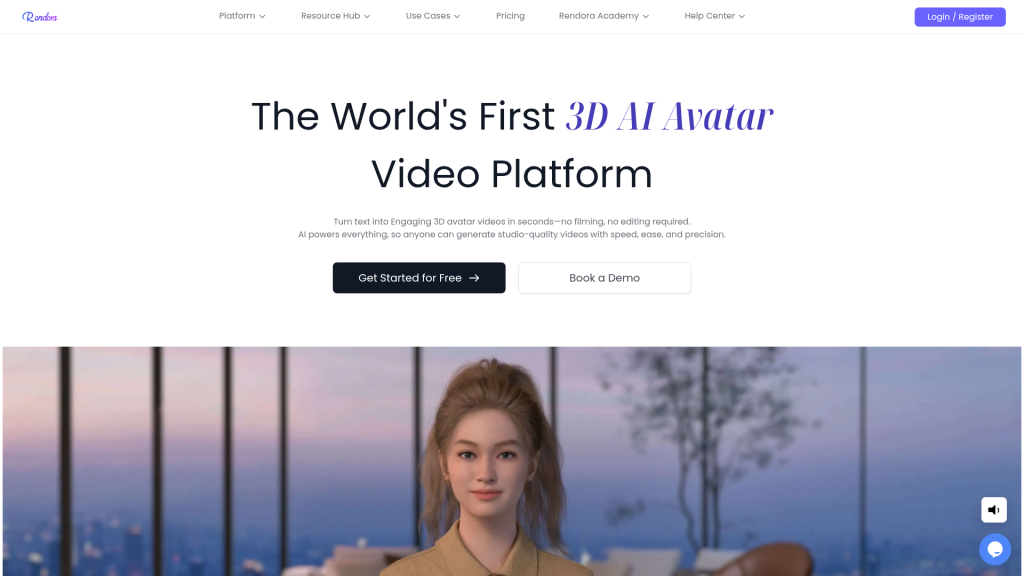
What is Rendora?
Rendora is a browser-based video generator built around fully 3D digital presenters rather than filmed talking heads. You type or paste a script, choose an avatar and a virtual studio, and the platform renders a finished clip with synthetic speech, facial expressions, body movement and camera work. The service is operated by Rendora LLC, a Delaware company.
It is pitched at teams that need a steady flow of presenter-led videos without booking actors or studios: corporate trainers, marketers, sales enablement staff, educators, news-style publishers and individual creators.
Key Features of Rendora
Large 3D Avatar Library
Rendora offers a catalogue of thousands of stylised 3D presenters across many looks and ethnicities. The free plan unlocks a smaller set, while paid tiers open the full library.
Avatar Customisation and Cloning
You can change face shape, hairstyle, outfit, makeup and accessories, add a logo, and build a 3D version of yourself from photos and a voice sample.
Several Ways to Start a Video
Projects can begin from a blank canvas, a template, an AI-written script or an uploaded PowerPoint deck. Editing the script or swapping a slide refreshes the video quickly, which helps with frequently updated material.
Expressive Voice in 100+ Languages
Text-to-speech covers more than 100 languages and accents, so one script can be localised into multiple versions for different markets.
Automatic Camera Direction
The engine plans shots, framing and camera moves from the script, and you can still adjust gestures, emotions, studios and effects by hand.
Interactive Avatars and API
For businesses, Rendora also provides real-time interactive avatars for websites, apps and displays, plus API and SDK access arranged through its sales team.
Rendora Pricing
Rendora runs on monthly credits. There is a free tier for testing, two self-serve subscriptions, and a custom Enterprise plan; the pricing page offers a yearly option that lowers the monthly rate.
Prices checked on October 28, 2026; check the official pricing page for current plans.
Commercial use is tied to the plan: the free tier is for trying the product only, while Starter and Team allow monetised and client work, and Enterprise adds full corporate rights.
Who Should Use Rendora?
- L&D teams turning policies, onboarding and compliance material into short presenter videos.
- Marketers producing product explainers or launch announcements in several languages.
- Sales and support teams converting help articles and slide decks into video.
- Teachers and course creators who prefer not to appear on camera.
- Companies exploring a branded 3D spokesperson or an interactive kiosk avatar.
Is Rendora Worth It?
Rendora stands out for its 3D approach: because presenters, sets and cameras are all virtual, you get more control over styling and shot composition than with many 2D avatar tools, and slide-to-video updates are quick. The trade-off is that the avatars look like high-quality 3D characters rather than filmed people, which suits training and explainer content better than material that needs a real human face.
The free plan is enough to judge the workflow but is limited to 540P, short videos, a watermark and non-commercial use. For regular production the Starter plan is the realistic entry point, and anyone needing 4K, unlimited length, custom avatars or the API will be talking to sales. If you produce recurring presenter-led content and like the 3D look, it is worth testing the free tier first.