SpeakON
SpeakON pairs a MagSafe button with an AI app that turns speech into clean text, notes, translations and approved actions across iPhone apps, for people who prefer talking to typing.
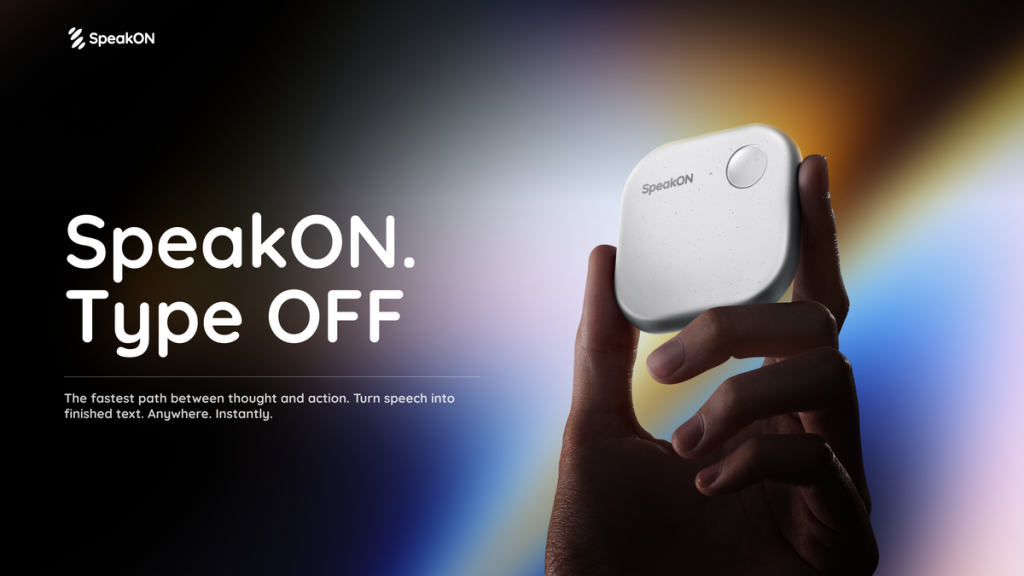
What is SpeakON?
SpeakON is a voice-first AI assistant for iPhone that combines a small MagSafe hardware button with a companion app. You press the button, talk naturally, and the AI turns your speech into clean text in whatever app you are typing in, saves it as an organised note, or prepares actions such as reminders, calendar events and messages. The company calls it an "AI communicator", and it is aimed at busy professionals, creators and anyone who would rather speak than type on a small screen.
The product works with any iPhone running iOS 16 or later, while the magnetic hardware attachment needs an iPhone 12 or newer. You can start with the free app and buy the device later if you want the one-press workflow.
Key Features of SpeakON
Press-and-speak capture
The dedicated button activates in a fraction of a second and has its own microphone, so you can record a thought without unlocking the phone. Recordings made offline are stored on the device and processed once you reconnect.
Smart polish for voice typing
SpeakON strips out filler words and false starts, formats rambling speech into lists where it makes sense, and inserts the finished text wherever your cursor is.
Style and tone matching
A Style setting adjusts the wording to suit the app or conversation, for example a more professional tone for email or a friendlier one for chat, without changing the meaning.
Voice Edit and Notes
You can keep reshaping a note by voice, asking it to become an email, a bullet list, a shorter or longer version, or a translation. Translation currently covers 12 languages.
SpeakON Agent
One spoken request can be split into several tasks, such as scheduling a meeting, drafting a Slack post, emailing a colleague and setting a reminder. The agent prepares each item and waits for your approval before anything is sent.
Custom dictionary and privacy
A personal dictionary helps it spell names, jargon and technical terms correctly. SpeakON says voice data is encrypted, is not sold and is not used to train AI models, and it cites SOC 2 Type II controls and HIPAA-aligned safeguards.
SpeakON Pricing
SpeakON does not use a monthly subscription for its main offer. The free app is available in the App Store, and the hardware bundle includes Pro features for life. Klarna instalments are offered at checkout in supported regions.
At the time of checking, the product page also displayed a time-limited 15% sale code set by the vendor; promotions like this change often, so confirm the current offer on the official store.
Prices checked on October 27, 2026; check the official pricing page for current plans.
Who Should Use SpeakON?
- Professionals who reply to many emails and messages from their phone and want polished text without typing.
- Writers, creators and founders who want to capture ideas on walks or between meetings.
- People who want a quick recap note after a conversation or call.
- Multilingual users who need to send short messages in another language.
- iPhone users who prefer a physical shortcut over opening an app.
Is SpeakON Worth It?
SpeakON stands out by pairing AI dictation with a dedicated button, which removes the friction of unlocking the phone and opening an app before speaking. The one-time price that includes lifetime Pro access is appealing compared with subscription dictation tools, and the agent's approve-before-send approach is a sensible safeguard.
The trade-offs are clear, though. It is built around the iPhone, so Android users are left out, and the full experience depends on buying hardware. Translation covers a limited set of languages, and agent actions rely on the apps it can connect to. If you mostly dictate on a laptop, a software-only tool may suit you better. For iPhone users who communicate on the move, SpeakON is a practical, well-thought-out option, and the free app is an easy way to test the AI side before buying the device. Learn more on the official SpeakON website.