Leap
Leap puts Veo, Kling, Seedance, Nano Banana, FLUX and other generative models in one browser studio and API, charging in dollars per finished run with no subscription.
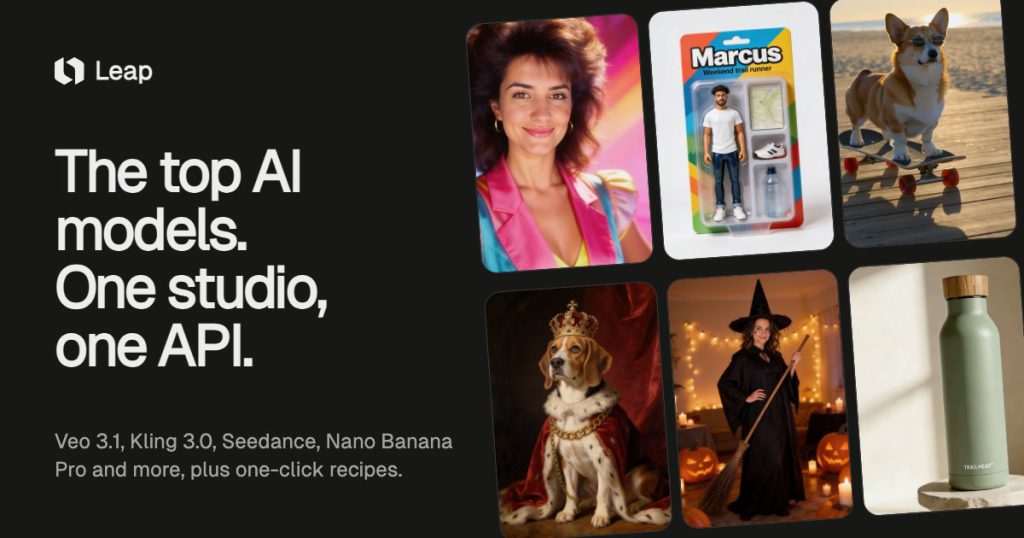
What is Leap?
Leap is a browser-based creative studio that gathers many of the best-known image, video, voice and music models under one roof and charges for each generation in plain dollars. Rather than picking a separate subscription for Veo, Kling, Seedance, FLUX or GPT Image, you load a single balance and choose the model that suits the job. The catalogue currently lists 173 models from providers such as Google, ByteDance, Kuaishou, Alibaba and Black Forest Labs.
The product is aimed at social creators, small brands and marketers who want ready-made "recipes" for eye-catching posts, as well as developers who would rather call the same models through an API without managing several vendor accounts.
Key Features of Leap
Model catalogue in one studio
Image, video, voice and music models sit side by side, so you can create a still with one model and animate it with another without exporting files between tools. Results are stored in a shared library while your account is active.
One-click effects and recipes
Recipes such as Character Studio, Clone Army, Talking Photo or product scene templates write the prompt for you. You can start from your own photo or a short sentence and get a styled image or clip with minimal prompt engineering.
Character Studio
Character Studio lets you design an original character by choosing personality, look, wardrobe and setting, then place that character in short scenes with selectable camera moves and lighting.
Voices and sound
Text-to-speech voices from providers such as OpenAI, xAI and Microsoft, plus ElevenLabs narration and music models, can be added to projects, and several video models generate sound in the same take.
Transparent per-run pricing
Every run shows its exact cost before you press generate, and only successful results are charged. Leap states that it adds a margin of roughly 35% on most models and less on the most expensive video models.
API and agent access
The studio, the API and AI agents spend the same balance at the same prices, which suits teams that prototype in the browser and then automate the workflow in code.
Leap Pricing
Leap has no monthly plans. You top up a dollar balance and spend it per image, per second of video or per thousand characters of speech. Your first image in the studio is free, the first top-up carries no card fee, and top-ups under $20 after that add a 5.5% card fee. At the time of checking, a top-up of $10 or more within 48 hours of sign-up also adds a $5 bonus for recipes.
Prices checked on October 28, 2026; check the official pricing page for current plans.
Who Should Use Leap?
- Creators who want quick, shareable effects and short clips from a photo or a single sentence.
- Small e-commerce brands producing product scenes, posters and simple UGC-style ads.
- Designers and filmmakers who like to compare outputs from several frontier models before committing.
- Developers who need one API key and one bill for many generative models.
Is Leap Worth It?
Leap is a sensible choice if your usage is irregular or spread across many models. Paying only for finished runs, with the price shown up front, avoids the common problem of monthly credits that expire unused, and having dozens of top models in one place removes a lot of account juggling.
The flip side is that heavy users may pay more than they would on a single provider's discounted plan, because Leap adds its own margin on top of list prices. Premium video, such as 1080p Veo clips with sound, can quickly cost several dollars per take, so it helps to test ideas on cheaper models first. If you want predictable monthly spend for a single model, a direct subscription could be cheaper; if you want flexibility and choice, Leap is worth trying with the free first image and a small top-up.