VEED
VEED is a browser-based AI video platform for marketers and creators: generate videos and AI clones, edit footage, add automatic subtitles, translate into 50+ languages and apply brand kits.
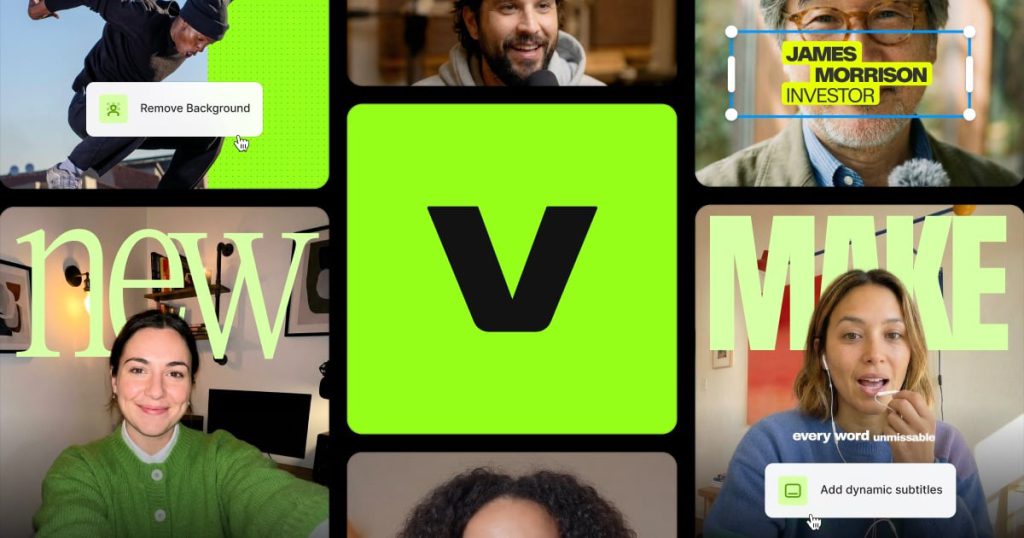
What is VEED?
VEED is a browser-based video platform that combines a traditional online editor with a growing set of generative AI tools. It started as a simple editor for subtitles and quick cuts and now positions itself as an AI video creation platform for marketers, solo founders and content teams. You can generate talking-head videos from a photo and a voice sample, edit footage, add subtitles, dub into other languages and apply your brand style, all in one workspace.
Key Features of VEED
AI video generation and avatars
VEED can create videos from text or images and lets you build an AI clone of yourself from one photo and your voice, which can then present explainers, product demos, ads or testimonials. It also gives access to third-party video models such as Sora 2, Veo 3.1 and Kling inside the editor.
Automatic subtitles
Subtitles are VEED's best-known feature. Paid plans include unlimited auto subtitles (with a 50-hour monthly fair-use limit) and a range of animated caption styles.
Translation and dubbing
Videos can be translated and dubbed into 50+ languages on the Pro plan and above, with translation minutes counted against your allowance.
Online editor and AI clean-up
The editor covers trimming, text, compression and background removal, plus AI tools like background noise removal and eye contact correction for talking-head footage.
Brand kits and templates
You can save colours, fonts and logos so videos stay on brand; Pro adds multiple brand kits and Studio adds custom templates.
Recording and voice
A screen recorder, teleprompter, text-to-speech and AI voice generator help produce videos without a separate recording setup.
VEED Pricing
VEED lets you start for free and upgrade for features like watermark-free exports. Paid plans are charged per user (per editor seat) and include a pool of AI credits that refreshes each billing period and does not roll over. The prices below are the annual-billing rates shown on the pricing page, which advertises savings of up to 51% compared with paying monthly. A trial of paid plans is only offered to enterprise customers with at least three users.
Prices checked on October 27, 2026; check the official pricing page for current plans.
Who Should Use VEED?
- Social media marketers who need captioned short-form videos quickly.
- Solopreneurs and founders who want an AI clone to present videos without filming.
- Teams localising videos into many languages.
- Companies that need consistent branding across many video assets.
- Creators who prefer editing in the browser rather than in desktop software.
Is VEED Worth It?
VEED is one of the more complete browser-based options for people who want editing, subtitles, avatars and AI generation in one place. Its subtitle tools remain a strong point, and bundling access to several leading video models with brand kits and translation makes it practical for marketing teams.
The costs can climb, though. Pricing is per seat, the headline prices require annual billing, AI credits reset without rolling over, and translation and AI voice are capped by plan. Free exports carry a watermark, and there is no general free trial of paid plans. If you produce videos regularly and value having everything in one web app, VEED is a good fit; occasional users may find the free tier or a simpler editor enough.